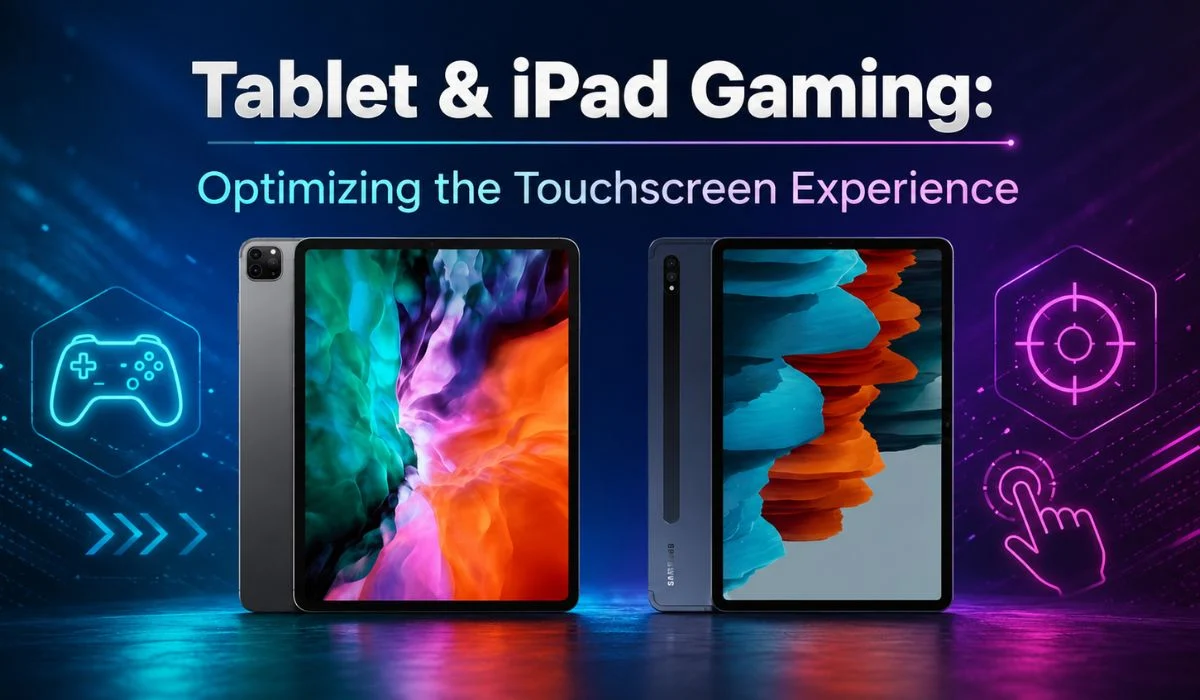

Have you noticed the recent switch from mobile gaming to tablet gaming among your peers? This tablet and iPad gaming guide will help you understand the latest trends in tablet and iPad gaming in Australia.
Tablets have become one of the most comfortable gaming platforms in Australia because of their convenience, flexibility, larger screen space, more battery life and improved touch controls. Tablets offer a portable gaming experience that allows Aussies to play games, including real money slots, from wherever they are and whenever they want.
Let’s read more to find out how tablets and iPad gaming are getting more popular than smartphone gaming.
Why Tablets Are Great For Gaming
What is that one factor you constantly seek in a gaming experience? It is undoubtedly the immersive experience, right? That is where tablets stand out from smartphones, in offering a lively gaming experience. This is mainly because of the higher refresh rate of tablets, which reduces lag.
1. Larger Displays
- Tablets offer better screen quality and resolution, which offers an immersive gaming experience. The display of tablets often ranges up to 12 inches.
- Having a screen resolution of at least 1800 x 1200 pixels offers better visibility and resolution.
2. Longer Battery Life
- Longer battery life is the most common feature of tablets from many popular brands like Apple, Lenovo, and Samsung.
- To avoid overheating of the tablet, be careful about charging the tablet while playing games.
3. Better Audio Experience
- Spatial audio sound processing is possible in tablets and iPads during gaming sessions due to the use of gaming headsets and stereo speakers.
- Bluetooth headset compatibility helps in noise isolation during gaming sessions.
iPad vs Android Tablets for Gaming
Let us look into the features that both Android and iOS tablets offer, which offer excellent gaming experiences, with each operating system providing unique advantages for different types of players.
Advantages of iPad
- Provides sharp visuals, vibrant colours and great viewing angles for an immersive gaming experience.
- Apple’s powerful processors ensure that you have smooth gameplay and efficient battery life.
- Built-in accelerometer and gyroscopic support motion-based gaming and precise controls.
- A broad selection of premium games optimised for iPad devices.
- Stereo speakers make the sound quality better, and regular software updates keep the device secure and reliable.
Advantages of Android
- Various specifications available from Samsung, Lenovo, Google, etc.
- We have options for budget, mid-range and premium gamers.
- hundreds of thousands of games on the Google Play Store.
- Most Android tablets support microSD cards for additional game storage.
- Devices such as the Samsung Galaxy Tab series have powerful processors and graphics performance to run demanding games.
- Hundreds of thousands of games are available on the Google Play Store, including casual titles, competitive multiplayer games, and Android pokies.
Optimising Your Touchscreen Gaming Experience
Performance issues are bound to happen for the gaming gadgets that may hinder you from experiencing seamless gameplay. Two major performance issues that trouble gaming enthusiasts are the slowdown of the gadget and lag.
Let us see how touchscreen gaming can be optimised in simple ways to deliver a transformative gaming experience.
If tapping, scrolling, or typing feels slow on your tablet or iPad, the device may have touch sensitivity issues. This can include unresponsive touches, accidental inputs, delayed responses, or repeated taps. You can improve this by adjusting touch sensitivity from the settings menu, using a stylus, or wearing touchscreen-friendly gloves.
Fingerprints, dirt, grease, and other particles can reduce touchscreen responsiveness. When the touch sensors are blocked, the screen may respond slowly or inaccurately. Switch off the tablet before cleaning it, then use a microfiber cloth with a small amount of water to gently wipe the screen in circular motions. Let it dry completely before use.
Using a tablet or iPad in landscape mode gives more screen space and creates a better sense of distance while gaming. It displays more game content, videos, and animations on the screen, making gameplay feel more immersive and easier to control during motion-heavy sessions.
Background apps can use RAM, storage, and battery power, which may slow down your tablet or iPad during gaming. Closing unused apps helps free up memory and improves performance. You should also clear storage space regularly to reduce lag and support longer battery life.
Regular software updates improve performance through bug fixes, security patches, and system optimisations. Keeping your tablet or iPad updated also improves compatibility with new games, apps, and drivers, helping the device run more smoothly during gaming.
Improve Gaming Performance On Tablets
With the inclusion of expanded game libraries and better graphics, modern tablets have become a superior gaming platform for Australian gaming enthusiasts. Some simple tips can actually improve the gaming performance of the tablets without wanting for an upgrade.
Free Up Storage
- Freeing up storage can immensely improve the gaming performance on tablets.
- Games require space to create temporary data and save files, and when there is no space, it can slow down the gaming process.
- By deleting old photos and videos, apps and other downloads that consume large space.
Reduce Visual Effects
- The attractiveness of visual effects on tablets has nothing to do with improving gaming performance.
- To reduce visual effects and improve response times, it is better to reduce motion and transparency using the Accessibility settings.
- Reducing visual effects helps if you are using older models of tablets or iPads.
Maintain Battery Health
- Maintaining a good battery life promises prolonged use of tablets and long hours of gaming sessions.
- Regular checking on the battery’s condition helps you know if replacement is required.
- Avoid overheating of the battery and maintain the charge of the tablet between 20% and 80%
Stable Internet Connection
- WiFi is important for online gamers because online gaming sessions depend upon factors like speed, reliability and low latency of the internet connection.
- Therefore, ensure that the wifi connection is stable and fast.
- Also, make sure that the tablet is within the required network bandwidth and adjust network settings to resolve network-related issues.
Best Gaming Tablets For Different Users
Different users have different gaming requirements, and it is essential to know your needs and preferences before buying a gaming tablet.
The iPad Pro with M5 chip offers four high-quality speakers, up to 2TB of storage, and a stunning OLED display with excellent brightness and contrast.
The RedMagic Astra features Snapdragon 8 Elite performance, a compact design, multi-day battery life, and fast 80W charging.
The Samsung Galaxy Tab S10 FE+ delivers a large 13.1-inch LCD display, 2880×1800 resolution, and strong midrange gaming performance.
The Apple iPad (11th Gen, 2025) includes parental controls that help parents manage screen time and monitor their children’s activity.
Accessibility & User-Friendly Features
Apple has integrated a variety of settings on the iPad that offer the best user experience for its senior customer segment. This short iPad user guide for seniors discusses the major accessibility and user-friendly features of the tablet.
1. Larger Text
- The text size on an iPad can be changed through the display and brightness menu in the device settings. This setting allows the user to select the text size and toggle it up and down.
- The text size can also be changed through the accessibility menu under settings. This setting allows users to toggle additional accessibility sizes.
2. Voice Controls
- The iPad should be connected to the Wi-Fi network before using the voice control for the first time.
- Once the device completes a one-time download from Apple, network connectivity is not needed to use voice control.
- Voice control can be activated from the accessibility menu under the settings menu.
- Once the voice control is turned on, set options like language, vocabulary, overlay, and play sound.
3. Accessibility Settings
- Apple iPad allows you to customise the built-in accessibility features to support your personal visual, auditory, physical, and cognitive needs.
- The iPad screen can help readers hear what is visible on the screen and navigate the device using gestures.
- You can navigate on an iPad using spoken commands.
- Real-time captioning of audio is available through accessibility settings.
What Australian Gamers Discuss Online
Tablet and iPad gaming is a never-ending topic of discussion among Australian gamers in online communities like Reddit. The major areas of discussion regarding tablet and iPad gaming on Reddit include device recommendations, performance tips and accessory suggestions.
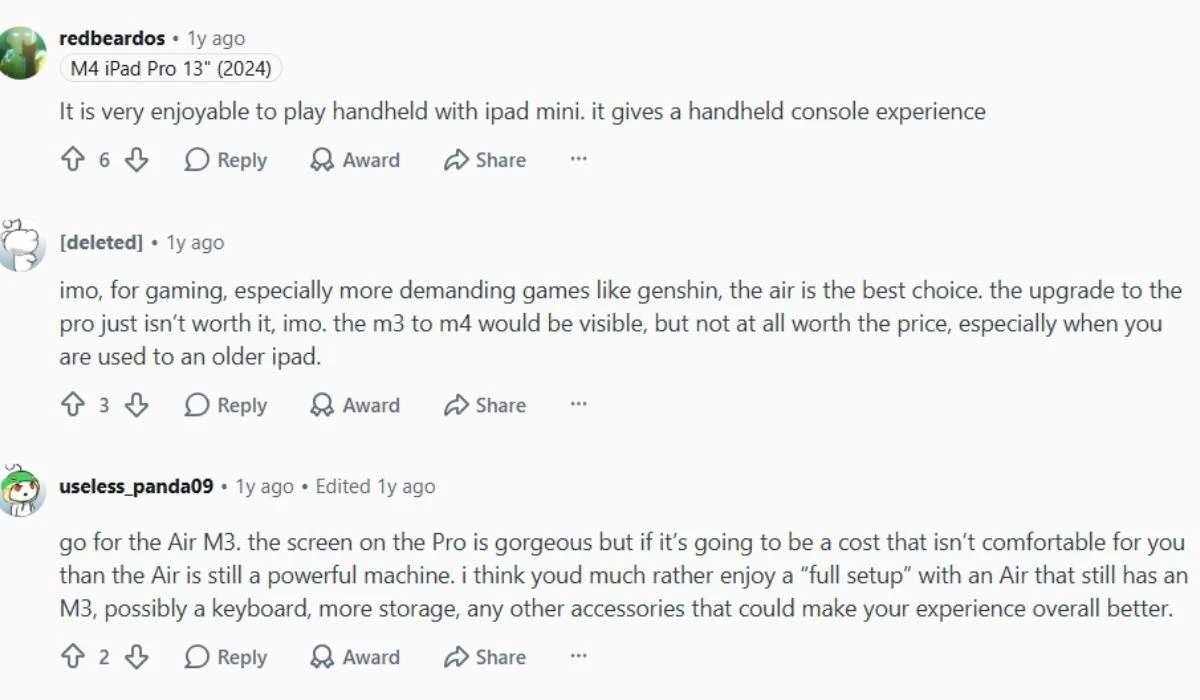
When talking about device recommendations, Aussies generally focus on hardware requirements like GPU, CPU, and RAM of the device.
Conclusion: Best Gaming Tablet & iPad
This tablet and iPad gaming guide emphasises the importance of tablets in gaming since they offer the best portable gaming experience available today. Tablets have larger displays, longer battery life and better audio experience than smartphones.
Some simple optimisation tips like cleaning the screen, adjusting the touch sensitivity, freeing up space, and reducing background apps can improve your gaming experience by reducing slowdowns and lags. However, you have to choose the right gaming device based on your budget and gaming habits.